
Unnamed Sans RNG Controls and Devices
Click spawned Sanses, survive the UI, and stop missing the Ruins crown.
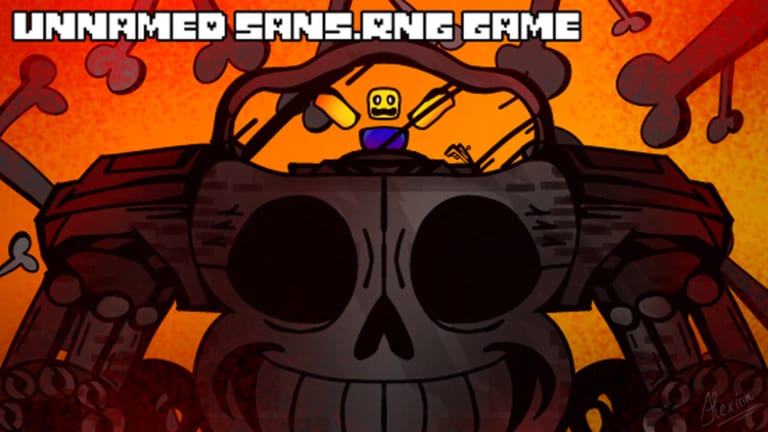
Unnamed Sans RNG looks like a walking simulator until you miss a click. The combat loop is not a skill tree and it is not a roll button. Models spawn in a six-player Roblox server, you aim at them, and the index only moves if the click lands. That sounds easy on a mouse. It is not easy on a phone, and it is worse on Xbox when the target is a crown sitting outside the map.
This page is the device guide. Pair it with Getting Started for the first-hour loop and the guides hub when you need the next secret, not another input lecture.
The real input: click spawned Sanses
Walk with standard Roblox movement. Camera is the usual drag or right-stick orbit. Jump is the usual jump. None of that is the game. The game is: a Sans appears, you put the cursor or finger on the model, you click, the encounter indexes.
There is no dedicated roll. Luck from Premium, Server Luck, and Biome Luck only matters after a spawn exists to click. A +10% follow spawnrate also does nothing if your device cannot hit the model. Streetman is large; Distortion and True Dust are not. Practice on commons, then read Void Star.
Keyboard, mouse, and camera on PC
PC is the recommended device for endgame. A mouse lets you flick to a model that popped behind a door, click a crown that sits past the wall, and still hit UI buttons without eating the camera.
Practical PC habits:
- Keep the camera slightly pulled back in Ruins so the huge door, the right wall, and the outside corner stay in frame.
- When the chat prints the void star beckons you, stop sprinting. Orbit first, click second.
- Learn shift-lock before a True Dust spawn. Fighting the camera in phase two is how people die and void the soul for the whole server.
Weapon swaps are clicks too. Dust Trident players spam unequip and equip for speed; that trick is a PC-friendly rhythm. If you fat-finger an accessory swap in the middle of it, you dump the speed. Details sit on True Dust and the weapon page. Accessory on/off for an instant heal is the same idea: you need a hotbar you can hit without opening a touch menu.
Mobile pain points
Mobile can clear the early Getting Started loop. It struggles when the target is small, offset from the walkable floor, or buried under jump/attack buttons. Players report missing Void Star even after zooming. That is not a skill issue. The star is a tiny crown or orb near the right of the huge Ruins door, along the right wall, or in the back corner outside the map. A thumb that also moves the camera will slide off it.
Jump and the joystick eat the lower third of the screen. Pinch-zoom often desyncs the tap; zoom, pause, then tap. Sans collected (normal settings, right twice) is easy to overshoot on a small pane. Redeem codes from how to redeem before a rare is up, not during one.
If a rare spawns on a phone, do not start a deathless True Dust. One missed dodge wipes the soul for everyone. Distortion’s teleport-to-fight has also been reported bugged; a phone that already drops inputs is a bad place to debug that.
Xbox and other gamepads
Xbox and other gamepads share the mobile problem with worse cursor precision. A stick can click Streetman. It often cannot select a crown past the wall, even zoomed. Farm and index on a pad if you must, then borrow a mouse for Ruins, Distortion, and the Hellbreaker.
UI pages you actually need
You will open these more than any “skill menu”:
- Normal settings, right twice, sans collected — kill index. Cultist at ~100k plus a Void Star lives or dies on this number.
- Inventory / hotbar — weapons and accessories. Justice Gun, Code Manipulator, Homing Blaster, and Ink Brush are useless if you cannot swap them mid-fight.
- Chat — biome lines such as the Void Star beckon, plus owner commands on private servers. If you own the server,
;cmdsis typed, not clicked. - Index / collection views — confirm Streetman, Void Star, and later Distortion actually registered.
Soul cubes are a cosmetic soul color. They are not a hidden control scheme. Do not hunt them to “fix mobile.”
Scripts that auto-click exist because the input is literally clicks. That does not make them safe. Read script safety instead of wiring a macro the first time a crown ignores your thumb.
Practice one Ruins session on PC before you promise a Distortion hunt. If you can click the star when the message appears, your device is ready. If you cannot, stay on commons and weapons until you can, or you will watch the biome change and the star despawn while you fight the UI.
Frequently Asked Questions
Quick answers to the most common questions.
Is there a roll button in Unnamed Sans RNG?
No. Sanses spawn in the world and you click them. Luck still stacks, but it does not replace the click. See luck bonuses.
Why can't I click the Void Star on mobile or Xbox?
The target is a small crown or orb outside the Ruins map. Zooming often fails. PC is recommended. Full location notes are on Void Star.
Where is the kill counter in the UI?
Normal settings, go right twice, **sans collected**. You need that number near 100k plus a Void Star before Cultist on Distortion.
Should I attempt True Dust on a phone?
No. The soul is deathless for the whole six-player server. A missed dodge on mobile can wipe it. Use True Dust on PC.
Do soul cubes change controls?
No. Soul cubes only recolor a soul. They do not add aim assist or a better tap box.
How do private-server commands work on a keyboard?
If you own the server, type `;cmds` in chat. `;stopspawns` is the rare-fight command. Details are on private servers.